
Using User Analytics
By creating and arranging views for different analysis dimensions as shown below, you can quickly compare overall user behavior with behavior under specific conditions.
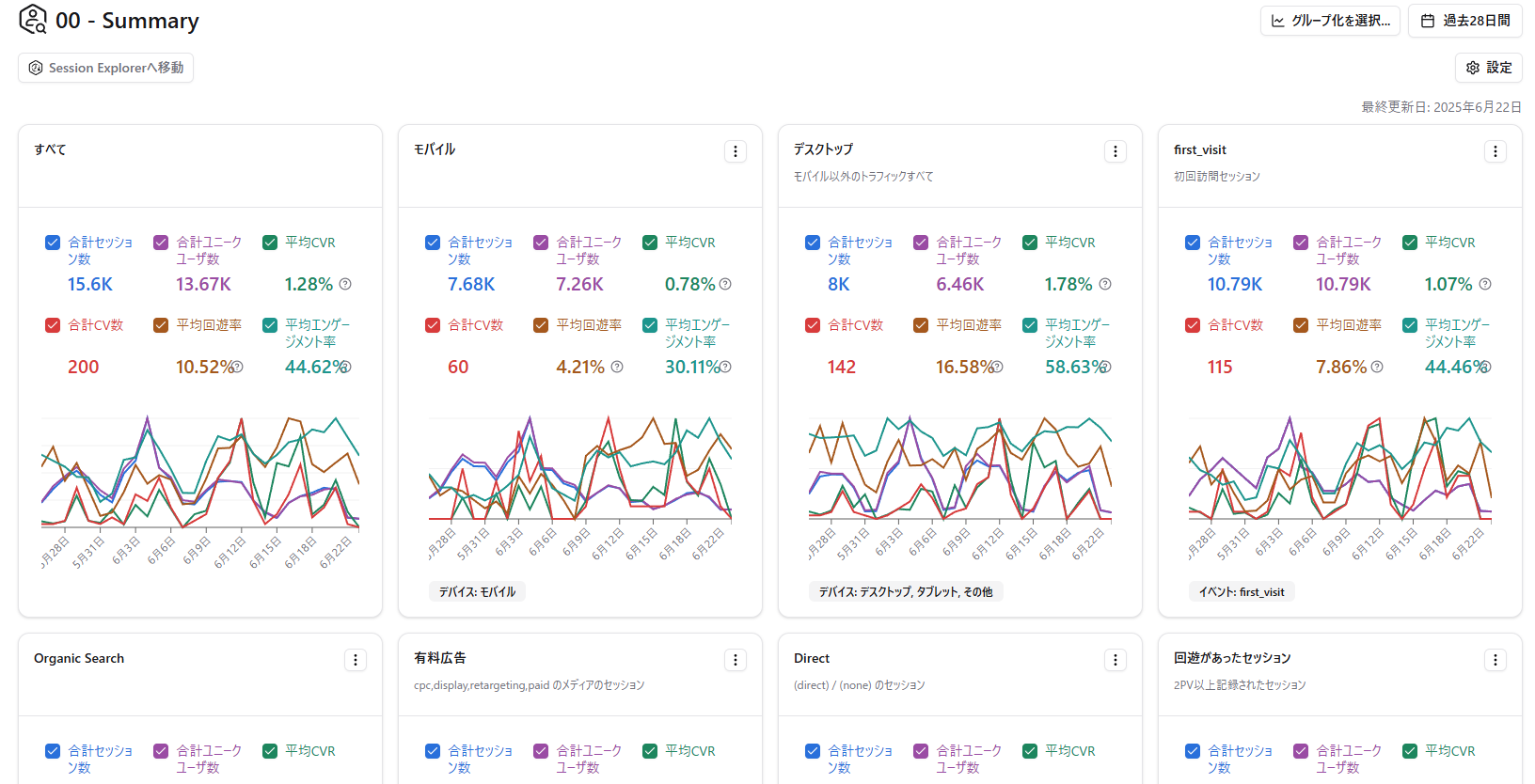
Recommended Views for First-Time Users
Section titled “Recommended Views for First-Time Users”Views by Device
Section titled “Views by Device”Create one view with the device set to “Mobile” and another with the device set to “Desktop, Tablet, Other.”
View for Sessions with Site Navigation
Section titled “View for Sessions with Site Navigation”You can extract sessions where users navigated beyond the landing page by setting the second-page URL to “contains http.”
🔗 The second-page URL is the URL the user visited after the landing page.
🤖 In Amethyst, a page is recognized as the second page if it has a different page_location parameter.
View for Sessions with Conversions
Section titled “View for Sessions with Conversions”You can extract sessions where conversions occurred by specifying a conversion event as a filter.
View for google / organic Sessions
Section titled “View for google / organic Sessions”Set the source to “google” and the medium to “organic” to extract sessions from users who visited your website through Google organic search results.
First-Visit Session View
Section titled “First-Visit Session View”Set the visit count filter to 1 (minimum 1, maximum 1) to identify and analyze sessions from users visiting your website for the first time.
Views by Landing Page
Section titled “Views by Landing Page”Recommended when you have multiple landing pages.
View by Landing Page x Second-Page URL
Section titled “View by Landing Page x Second-Page URL”After filtering for landing pages with high CVR, create views by second-page URL to analyze which navigation paths are producing results.
Review Session Detail Records
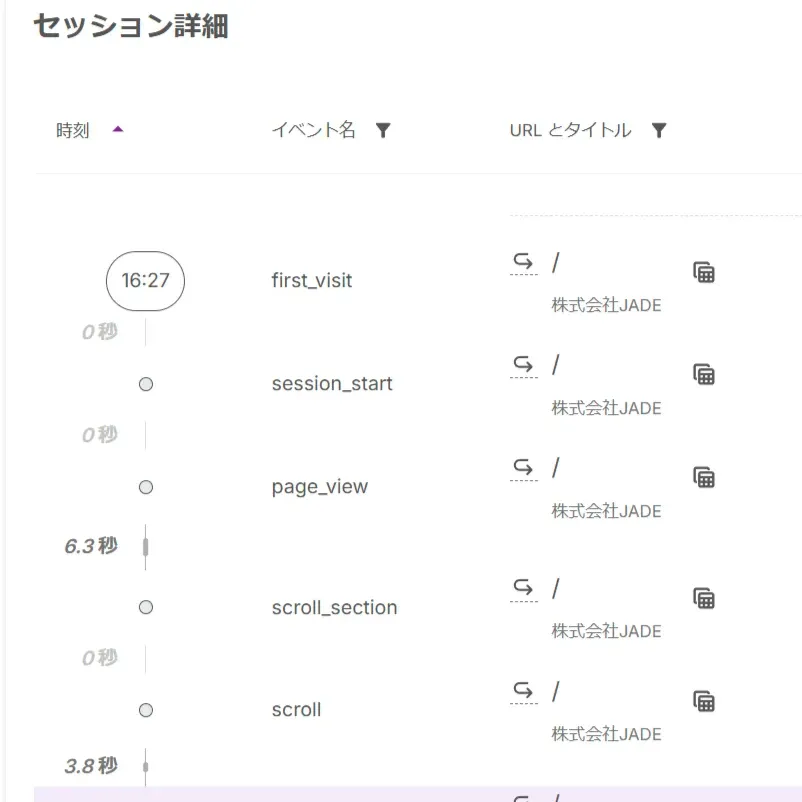
Section titled “Review Session Detail Records”After creating views, review the detail records for sessions that stand out.
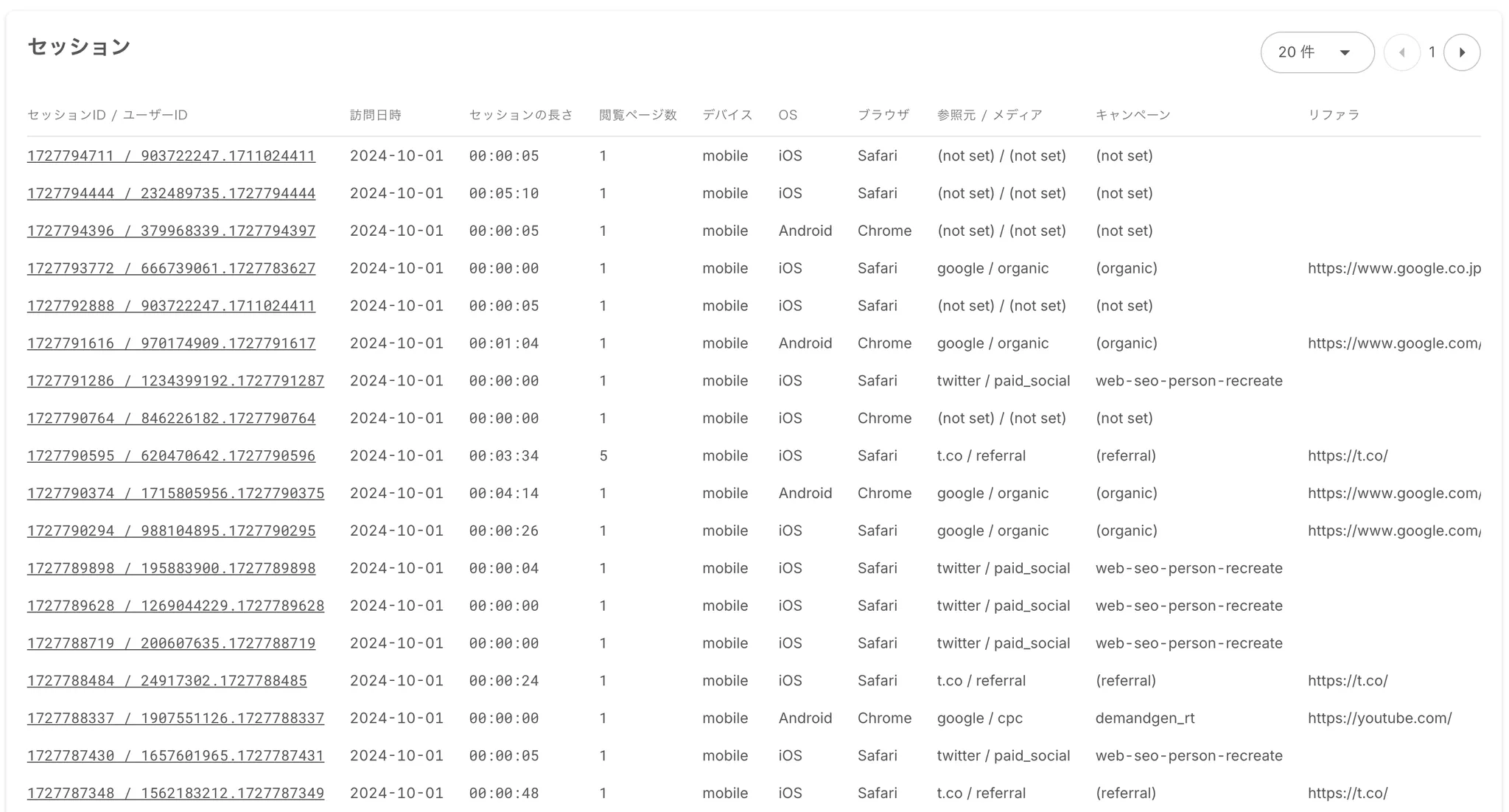
Scroll to the bottom of a view page to see the list of matching sessions. Use the links in the “Session ID / User ID” column to open Session Explorer.
Create URL Groups
Section titled “Create URL Groups”User Analytics supports URL groups. You can group multiple URLs into a single group and create filters that specify URL groups for landing pages or second-page URLs.
Example 1) Create a group of URLs related to a priority product so you can view data only for that product.
Example 2) Create URL groups for category top pages that list articles on a media site.
Example 3) Create separate URL groups for content aimed at men and content aimed at women.